| Posted: 2012 14 March at 11:03am | IP Logged
|

|
|
First of all, please ensure that the matching driver is installed. You can visit the URL http://h50176.www5.hp.com/support/Q1860A/drivers/ to download the driver for installation. There are three drivers for HP5100 machines, please select the HP LaserJet 5100 PCL5e driver program for installation.
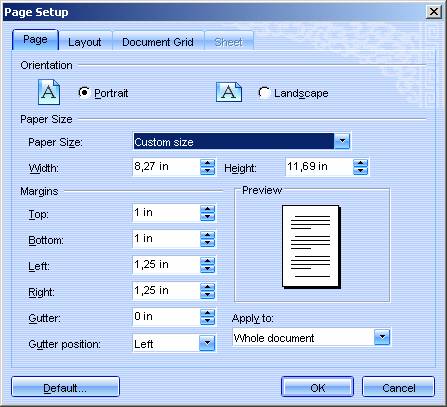
After some analysis, it was found that although the preview of files with Microsoft format appear normal after being read in, the properties need to be reset during printing. Open the ˇ°Page Setupˇ± dialogue box, click on the ˇ°OKˇ± button and proceed with the printing.
|

 Active Topics
  Memberlist
  Search
  Help
Help Register
  Login
Login Cassc Forums : Technique
 Topic: The HP5100 printer


